

Find the time that works for everyone
Gather Hound is a free group planning app for friends and families that finds a time everyone can make. It compares each person’s free and busy time, suggests the three best times for your plan, and the group votes by a deadline. It costs nothing: there are no paid plans and no ads.
Get started free Sign in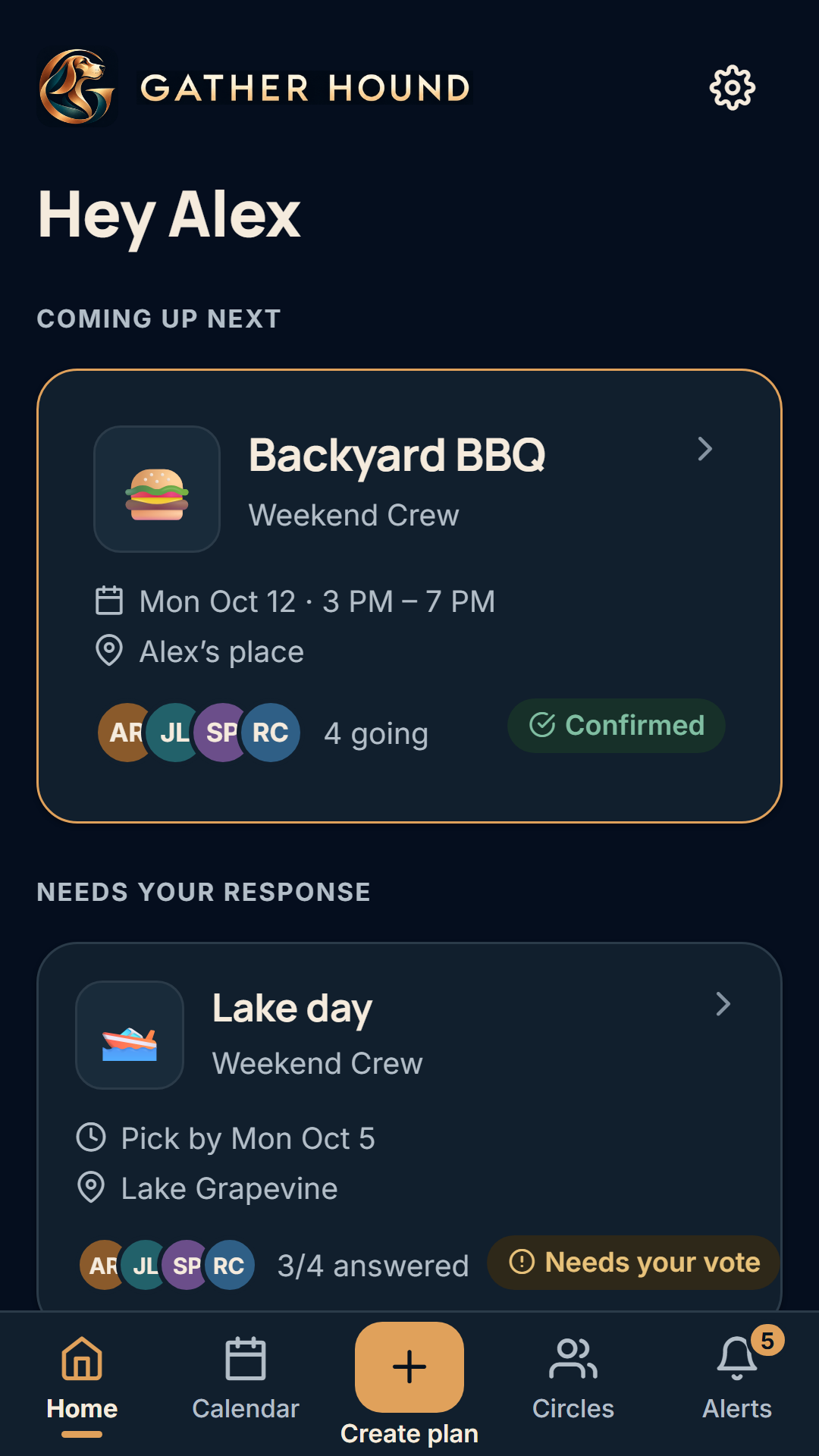
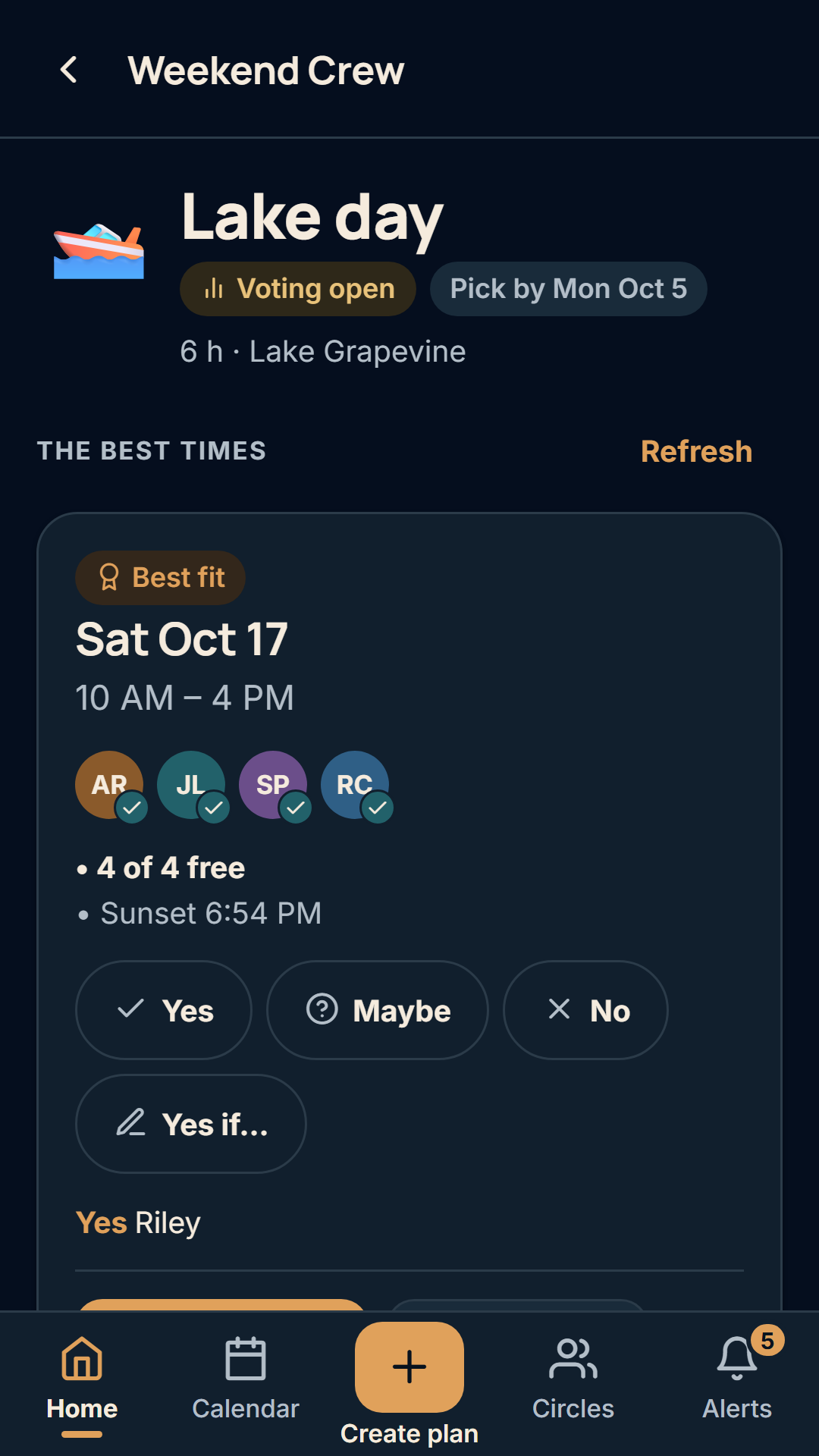
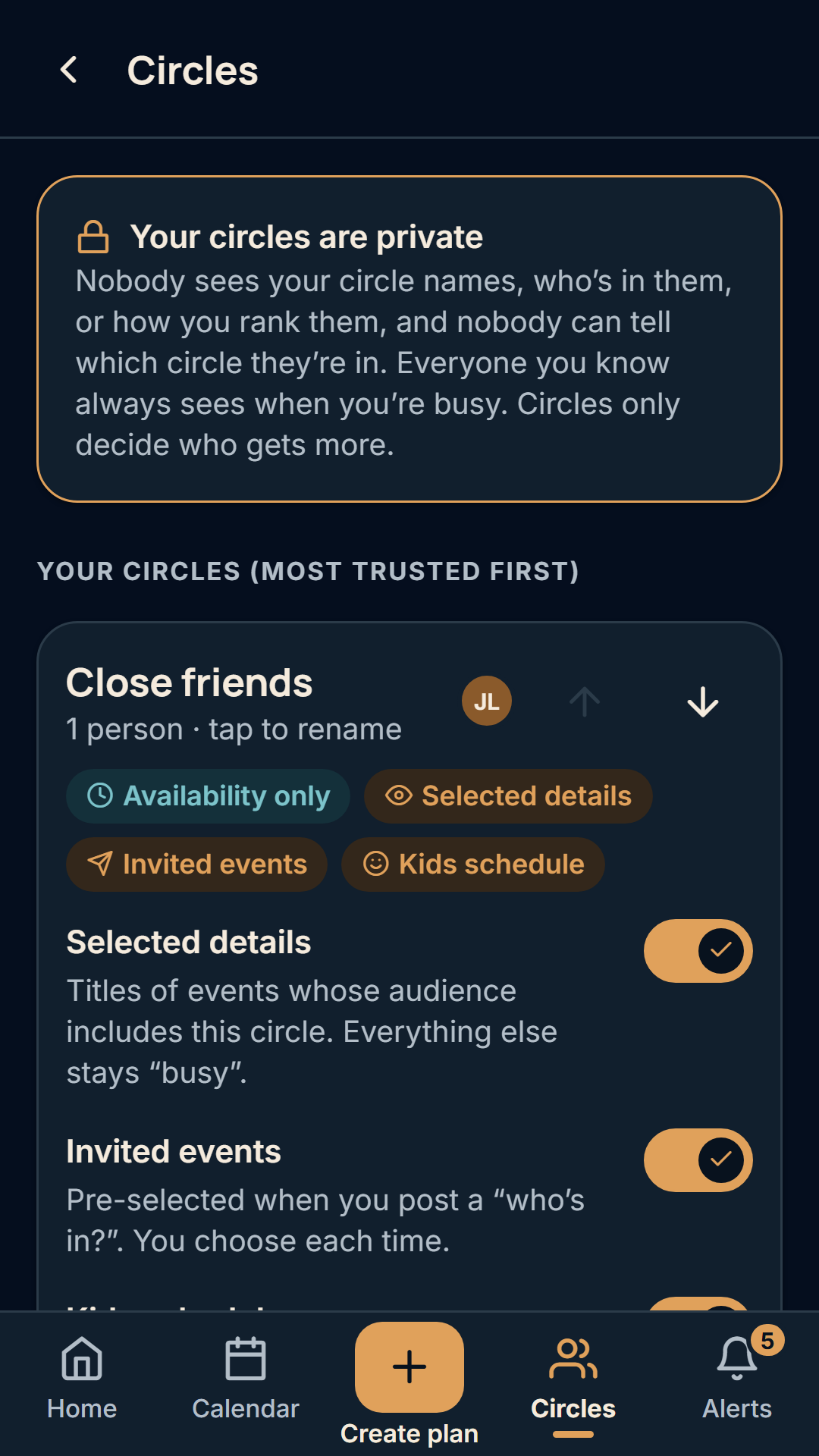
Screenshots are from the Gather Hound review demo account, not real users.
How Gather Hound works
- Make a group and invite people with a link. A lake crew, the cousins, the neighbors. New members need the owner’s approval.
- Share when you’re free, not what you’re doing. Connect Google Calendar, paste a calendar link from Outlook, Google or iCloud, or skip the calendar and set a few rules (work hours, bedtime, preferred days, away dates).
- Create a plan. Say what it is, how long it takes and where. Gather Hound suggests the three best times, counting who is free, weekends and holidays, daylight, the weather forecast and travel time.
- Vote by the deadline. Everyone answers Yes, Maybe, No or “Yes if…”. When the time is locked in, it shows on the plan and in a calendar feed you can subscribe to from Google, Apple, Outlook or a Skylight family calendar.
What you can do with Gather Hound
- Groups with a shared chat, GIFs, photos and videos, plan votes and bring lists.
- Private circles (close friends, family, coworkers, neighbors, or your own) that decide who sees more than “busy”. Circle names and members are visible only to you.
- Kids schedules: a parenting rotation, yearly holiday exceptions and one-off changes that shape suggestions without being shown to anyone.
- “Who’s in?” invites sent to the circles you choose. The people you invite never see who else was asked.
- Personal rules: work hours, childcare, bedtime, preferred days, notice needed and away dates.
- A calendar feed of your confirmed plans for Skylight, Google Calendar, Apple Calendar or Outlook.
- Report and block tools on every message, photo and person.
What Gather Hound costs
Every feature on this page is free for everyone in the group. There are no paid plans, no trial that runs out, no card to enter and no ads.
Who Gather Hound is for
Gather Hound is built for small private groups: the friends who take three weeks of texting to pick a Saturday, the family planning a reunion around four households, and parents whose free weekends depend on a parenting schedule. Read more about making plans with a friend group and planning around kids schedules, or see how Gather Hound compares with group chats, Facebook Groups, TeamSnap, Cozi and Doodle.
You must be 13 or older to use Gather Hound.
How Gather Hound uses your calendar
- Read-only. Gather Hound never creates, changes or deletes events in your calendar.
- Friends see only when you’re busy, never what you’re doing, unless you choose to share an event’s details with a circle you pick.
- Your calendar data is used only to find times that work for your plans. It is never sold, never used for ads, and never used to train AI models.
- Disconnect a calendar or delete your account at any time, and its data is deleted.
The details are in the privacy policy and terms of service.
Questions and answers
What is Gather Hound?
Gather Hound is a free group planning app for friends and families. You make a group, invite people with a link, and Gather Hound compares everyone’s free and busy time, suggests the three best times for the plan, and lets the group vote by a deadline.
Who is Gather Hound for?
Gather Hound is for small private groups that struggle to find a date: friend groups, extended families, neighbors, and parents whose free time depends on a parenting schedule. It is not built for sports leagues, large public communities or work meeting booking.
What does Gather Hound cost?
Gather Hound is free. There are no paid plans, no subscription and no ads in the app today. If that ever changes, this page will say so before anything is charged.
How is Gather Hound different from a group chat or a Facebook Group?
A group chat or Facebook Group gives people a place to talk, but someone still has to ask everyone when they are free and count the answers. Gather Hound reads each person’s free and busy time, proposes three times that fit the most people, and collects Yes, Maybe, No or “Yes if…” votes in one place. It also has a group chat, photos and videos for each group.
What can my friends see about my calendar?
People who share a group with you on Gather Hound see only when you are busy, never what you are doing. You can choose to show an event’s title to a private circle you pick. Calendar access is read-only, so Gather Hound never creates, changes or deletes events in your calendar.
Do I have to connect a calendar to use Gather Hound?
No. On Gather Hound you can connect Google Calendar, paste a calendar link (iCal) from Outlook, Google or iCloud, or say that you do not keep a calendar and set simple rules such as work hours, bedtime, preferred days and away dates instead.
How does Gather Hound handle kids schedules and co-parenting time?
In Gather Hound you can enter a parenting schedule with a repeating rotation, yearly holiday exceptions and one-off changes. It shapes which times are suggested for you, but it is visible only to you unless you allow a circle to see it, and suggestions never explain why someone is unavailable.
Does Gather Hound sell my data or show ads?
No. Gather Hound does not sell your data, does not use it for advertising and does not use it to train AI models. Event titles are stored encrypted, and the full details are in the Gather Hound privacy policy.
How do I start using Gather Hound?
Open gather.quillhound.com and sign in with Google, an email code or a passkey. Make a group, share the invite link, and create your first plan. It runs in the browser on a phone or a computer.
How do I delete my Gather Hound account?
Go to Settings in Gather Hound and choose Delete account. Your profile, connected calendars, rules, kids schedule, circles and answers are deleted. There is nothing to cancel because there is no subscription. If you cannot sign in, email support@gatherhound.com.
Start a plan
Gather Hound runs in the browser on your phone or computer. Sign in with Google, an email code or a passkey.
Get started freeGather Hound is made by Quill Hound. Questions: support@gatherhound.com.